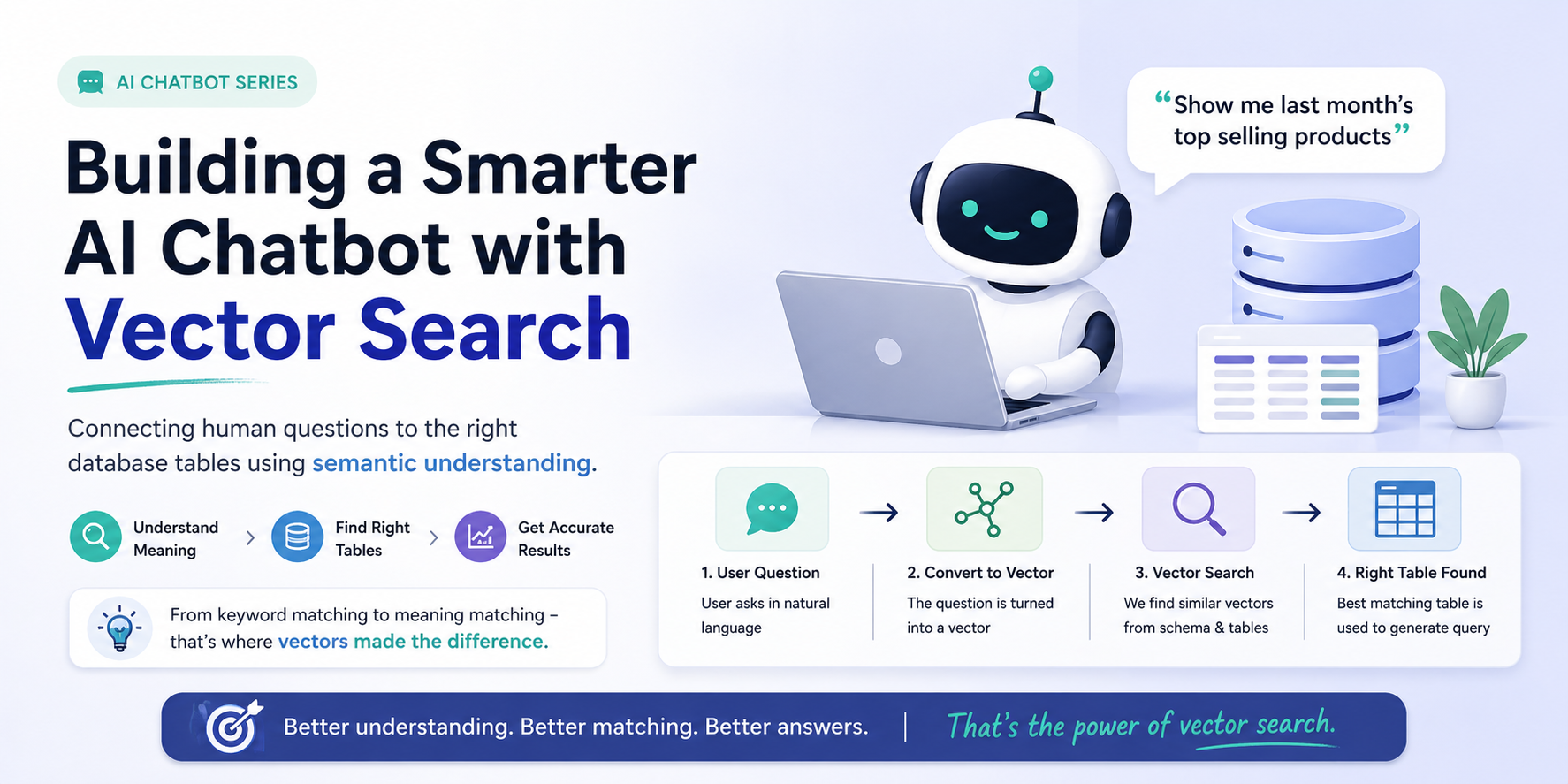
Building a Smarter AI Chatbot with Vector Search (A Practical Approach)
Recently, I worked on an AI chatbot that had a very specific job: answer user questions using data stored in a database. On the surface, this sounds like a straightforward problem. A user asks a question, the system runs a query, and returns results. But in reality, the gap between how humans ask questions and how databases store information is much bigger than it seems.
Let’s take a simple example. A user might ask, “Show me last month’s top selling products.” This is natural language. It’s vague, flexible, and easy for humans to understand. But a database doesn’t think like this. It has structured tables, column names, and strict query formats. It doesn’t know what “top selling” means unless explicitly defined, and it definitely doesn’t understand “last month” without logic.
So the real challenge wasn’t building a chatbot. It was building a bridge between human language and database structure.
Initially, I tried solving this using keyword matching. The idea was simple: extract important words from the user query and try to match them with table names or column names. This approach works in controlled scenarios, but it quickly falls apart in real-world usage. Users don’t stick to one way of asking things. “Top products,” “best selling items,” and “highest sales products” all mean the same thing, but keyword matching treats them as completely different inputs.
That’s where vector embeddings came into the picture, and this is where things started to change.
Instead of focusing on exact words, vector embeddings allow us to represent text as numerical vectors that capture meaning. So both the user query and the database schema (table names, column descriptions, etc.) can be converted into vectors. Once everything is in this format, we can compare them using similarity instead of exact matches.
In simple terms, instead of asking “Do these words match?”, we start asking “Do these meanings match?”
Here’s how the flow looked in the system. First, the user asks a question in natural language. That query is converted into a vector using an embedding model. At the same time, all relevant database components like table names and descriptions are also stored as vectors in a vector database. Then, when a query comes in, we perform a similarity search to find which tables or fields are closest in meaning to the user’s question. Once the system identifies the most relevant table, it can then generate an accurate query on top of it.
This small shift—from keyword matching to semantic similarity—made a huge difference.
The chatbot became much more flexible. It no longer depended on users phrasing things in a specific way. It could handle variations in language without breaking. It also improved accuracy in selecting the correct tables, which is critical when working with complex databases. Most importantly, the interaction started to feel natural. Users didn’t have to think about how the database works; they could just ask questions the way they normally would.
Another interesting takeaway from this project was that you don’t always need a highly complex AI system to build something useful. Sometimes, adding a vector layer on top of your existing system can significantly improve how it behaves. It’s a relatively small architectural change, but the impact is very noticeable.
This approach is not limited to chatbots either. The same idea can be applied to search systems, recommendation engines, document retrieval, and even internal tools where users need to interact with structured data in a more human-friendly way.
If you’re building anything that involves interpreting user intent, it’s worth exploring vector embeddings and similarity search. Not because it’s a trend, but because it solves a very real problem: the mismatch between how humans communicate and how systems are structured.
In the end, the biggest lesson from this project was simple. Systems become smarter not when they match more keywords, but when they understand more meaning.