When we talk about scaling Node.js, one of the common things we hear is “Use the Node.js cluster module and create multiple workers.” And yes, clustering can be very useful when you want to handle more traffic by running multiple Node.js processes. But there is one very important thing that many developers miss: your number of cluster workers should make sense according to the CPU resources actually allocated to your application.
A simple thumb rule I follow is:
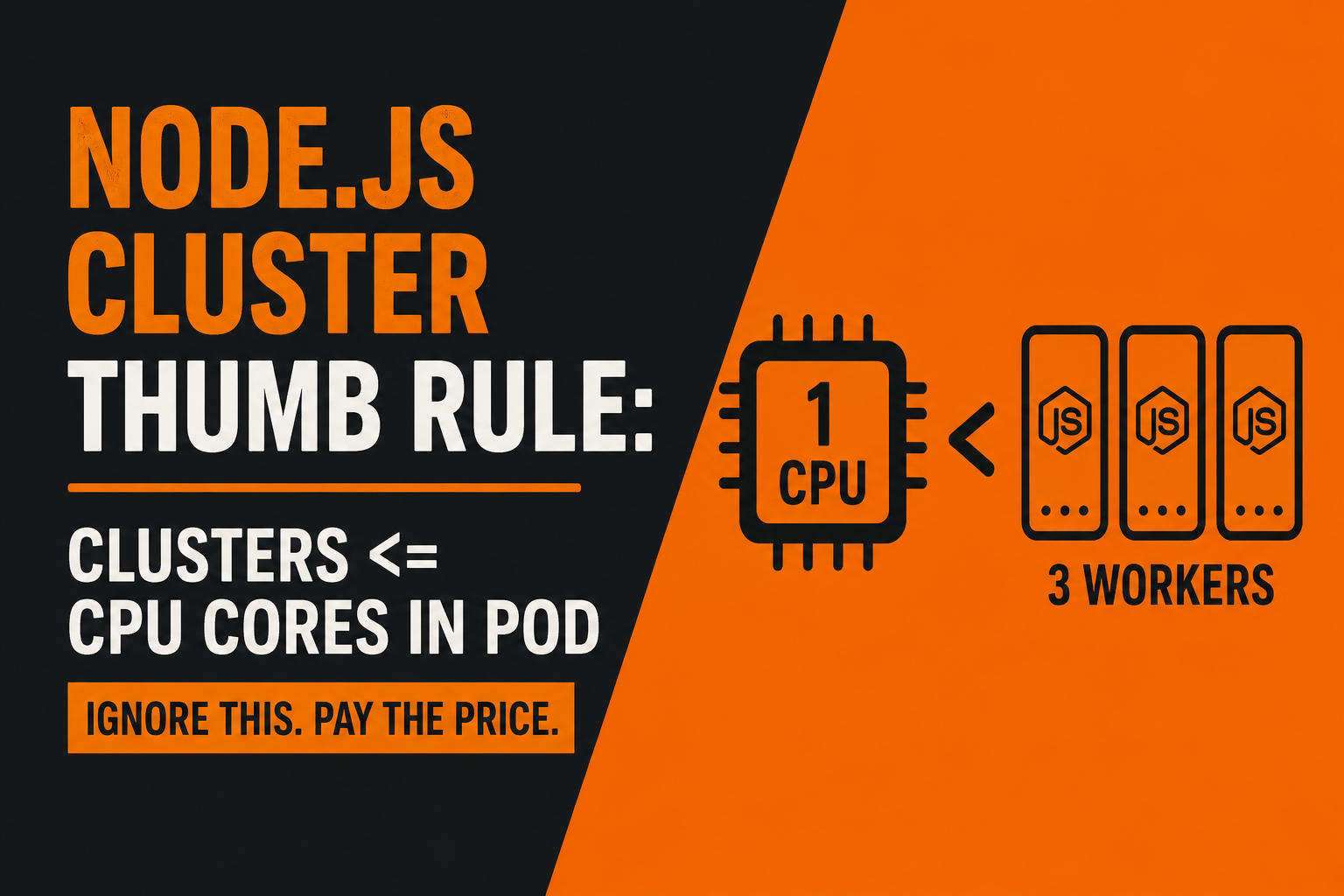
Cluster workers ≤ CPU cores allocated to the pod.
Let me explain why this matters, because I have seen this become a real production issue.
First, let's understand why we use clusters in Node.js. Node.js runs JavaScript execution on a single main thread. This is one of the reasons Node.js is very good for I/O-heavy applications, but when you have high traffic and want to utilize multiple CPU cores, you can run multiple Node.js processes using the cluster module. These processes are commonly called workers. Each worker can handle requests independently, which allows your application to make better use of multiple CPU cores.
For example, imagine your Kubernetes pod has 4 CPU cores available. You can have multiple Node.js workers running and the operating system can schedule those processes across the available CPU cores. This can make sense when your application needs to handle a large amount of traffic.
Now let's change the situation.
Imagine your Kubernetes pod has only 1 CPU core allocated, but you create 3 Node.js cluster workers.
At first glance, it may look like you have scaled your application because you now have three Node.js processes. But you haven't magically created three CPU cores.
You still have only one CPU core.
Those three worker processes now have to share that same CPU. The operating system scheduler will continuously give CPU time to different processes. So instead of getting true CPU-level parallelism, the workers are competing for the same limited CPU resource.
This is where the problem starts.
And I actually experienced this in a previous organization.
We were working on high-traffic telecom systems where our Node.js microservices were deployed using Kubernetes. Because the system was handling a large amount of traffic, we decided to use Node.js clustering for some of our services.
The developer implemented multiple cluster workers. In this particular case, 3 cluster workers were created.
The code itself looked perfectly fine.
The application started.
The APIs were responding.
Local testing was working.
UAT testing was also working.
So everything looked good.
But there was one thing we missed.
Our Kubernetes pod had only 1 CPU core allocated.
So we effectively had something like this:
1 CPU core → 3 Node.js workers
The problem was not immediately visible because local and UAT environments weren't generating the same level of traffic and resource pressure as production. This is one of the tricky things about infrastructure-related problems: your application can look completely healthy during normal testing and still behave very differently when real production traffic arrives.
Then we deployed it to production.
When traffic increased, things started getting worse.
CPU utilization started going up significantly. Memory utilization also increased because we were running multiple Node.js processes, and the pods started experiencing instability and restarts. What initially looked like a normal traffic-related problem turned into a much bigger production incident.
We started checking the monitoring dashboards and infrastructure metrics to understand what was happening.
After investigating the service and its resource utilization, we found something interesting.
The application had 3 Node.js workers running inside a pod with only 1 CPU core allocated.
The important point here is that creating more workers doesn't mean you automatically get more CPU power.
If your pod has 1 CPU core, creating 3 workers doesn't turn that into 3 CPU cores.
You still have one CPU core, and now multiple processes are trying to use it.
Think about it like having one person and giving them three jobs. You haven't created three people. The same person still has to switch between those jobs. The more work you give them, the more scheduling and context switching is involved.
The same basic idea applies here. The operating system is responsible for scheduling these processes on the available CPU resources.
This is why CPU allocation and application-level concurrency need to be designed together.
One important clarification: this doesn't mean that running more workers than CPU cores will always immediately break your application. The actual impact depends on your workload, CPU limits and requests, traffic pattern, worker behavior, memory consumption, and how Kubernetes is configured. For I/O-heavy applications, multiple workers can sometimes still be useful. But if your goal is CPU-level parallelism, you need to understand how many CPU resources the pod actually has.
This is also why testing only the application code is not enough for distributed systems.
A developer can test the cluster implementation locally, see three workers running, send requests, and everything can look perfectly fine.
But production is not just about whether the code works.
You also need to ask:
How many CPU cores does my container have?
How much memory is allocated?
How many workers am I creating?
What happens when traffic increases?
What happens when every worker becomes busy at the same time?
What happens when Kubernetes starts restarting or rescheduling the pod?
These questions become extremely important when you're working with Kubernetes and high-traffic systems.
So whenever you're implementing Node.js clustering in a Kubernetes environment, don't just look at the Node.js code.
Look at the infrastructure as well.
If your pod has 1 CPU core, blindly creating 3, 4, or 5 workers doesn't mean your application can suddenly process work with 3, 4, or 5 CPU cores.
You need to understand the relationship between Node.js workers → CPU allocation → Kubernetes pods → traffic.
My simple rule of thumb is:
Cluster workers ≤ CPU cores allocated to the pod
But treat this as a starting point, not a universal law. You should still benchmark your actual workload and monitor CPU, memory, latency, throughput, restarts, and event-loop behavior before deciding the final worker count.
The biggest lesson I took from that production incident was this:
Scaling an application is not just about creating more processes. You also need to make sure the infrastructure has enough resources to support those processes.
Otherwise, something that looks like a scaling improvement in your code can actually become a bottleneck when real traffic arrives.
And that's exactly what makes infrastructure bugs so dangerous — everything can look perfectly fine until production decides to test your assumptions.